

TL;DR:
- Digital invitations streamline wedding communication through tracking, reminders, and personalized messaging.
- Proper setup includes verified contacts, accessibility, eco-friendliness, and strategic delivery timing.
- Simplifying the process with trusted tools enhances guest experience and reduces planning stress.
Sending wedding invitations sounds simple until you're staring at a spreadsheet of 200 names, wondering if your emails landed in spam, and fielding calls from guests who never got anything. The stress of managing paper invites, missed RSVPs, and last-minute address errors is real. Digital invitations solve most of these problems, but only when you distribute them correctly. This guide walks you through every stage, from setting up your tools to tracking every single response, so you can spend less time chasing guests and more time actually enjoying your engagement.
Table of Contents
- Understanding prerequisites: Digital invitation essentials
- Step-by-step process: Distributing your digital invitations
- Ensuring delivery: Overcoming common technical issues
- Managing RSVPs and reminders: Maximizing guest responses
- Our approach: The hidden value in simplifying your invitation workflow
- Make your wedding invitation process seamless with The Digital Yes
- Frequently asked questions
Key Takeaways
| Point | Details |
|---|---|
| Segment your guest list | Decide who gets digital, print, or hybrid invitations to maximize accessibility and response. |
| Automate reminders | Use RSVP tracking tools to automatically follow up and boost guest response rates. |
| Manage delivery issues | Guide guests to check spam folders and offer support to those unfamiliar with digital invites. |
| Clarify for international guests | Send details early and make sure event times are clear for out-of-country recipients. |
Understanding prerequisites: Digital invitation essentials
Before you can start sending, make sure you have the right setup. Jumping straight into distribution without the right foundation is the fastest way to create chaos.
The first decision is choosing your platform. Not all digital invitation tools are equal. Look for one that offers delivery tracking, automated reminders, and a real-time RSVP dashboard. These features aren't luxuries. They're what separate a smooth process from a stressful one. You'll also want to confirm the platform supports mobile viewing, since most guests will open your invitation on a phone.
Next, build your guest contact list carefully. Collect both email addresses and phone numbers for every guest. Emails are your primary channel, but having a backup number matters when emails bounce or go unread. Double-check every address before you import it. One typo can mean a missed invitation and an awkward conversation later.
Not every guest is comfortable with digital formats. Hybrid print methods are useful for guests unfamiliar with technology, so plan a small print run for older relatives or guests with limited internet access. This isn't a failure of your digital strategy. It's smart planning.
Two other factors deserve attention before you send anything. First, invitation accessibility matters more than most couples realize. Guests with visual impairments or reading difficulties need invitations that work with screen readers and use high-contrast text. Second, going digital is genuinely better for the planet. Choosing eco-friendly digital invitations eliminates paper waste, printing emissions, and shipping entirely.
Key setup checklist:
- Platform with RSVP tracking and automated reminders
- Verified email addresses and backup phone numbers for all guests
- Small print batch for tech-shy guests
- Accessibility review of your invitation design
- Eco-friendly delivery method confirmed
| Setup element | Why it matters |
|---|---|
| Delivery tracking | Confirms who received the invite |
| Verified contact list | Prevents bounced or missing invites |
| Hybrid print option | Covers non-digital guests |
| Accessibility check | Ensures all guests can read it |
| Eco-friendly platform | Reduces environmental impact |
Pro Tip: Run a test send to yourself and two trusted contacts before your full distribution. Check how it looks on both desktop and mobile, and confirm the RSVP link works correctly.
Step-by-step process: Distributing your digital invitations
With all tools in place, here's the practical rollout sequence.
Distributing digital invitations isn't just pressing send on a bulk email. It requires segmenting your guest list, customizing messages for different groups, and staggering your sends strategically.
Step 1: Segment your guest list. Divide guests into three groups: digital-ready, hybrid (those who need both digital and print), and international. Each group needs slightly different handling.
Step 2: Customize your messaging. For international guests, clarify event times and send invitations earlier to account for time zone differences. A guest in Tokyo receiving your invitation the same week as a guest in your hometown isn't ideal. Send international invites at least 10 to 12 weeks out.
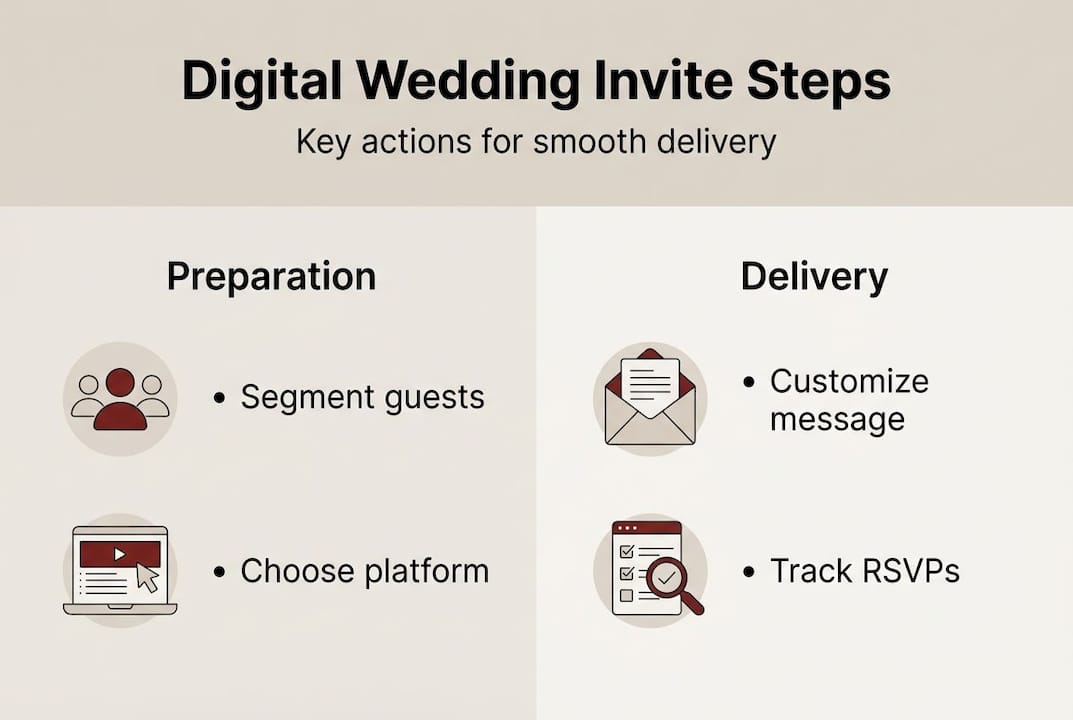
Step 3: Personalize each segment. Use your platform's merge fields to include each guest's name. A personalized subject line dramatically improves open rates. Generic subject lines get ignored or flagged as promotional.
Step 4: Schedule your sends. Avoid sending on Mondays (high inbox competition) or late Friday afternoons (people check out). Tuesday through Thursday mornings tend to get the best open rates.
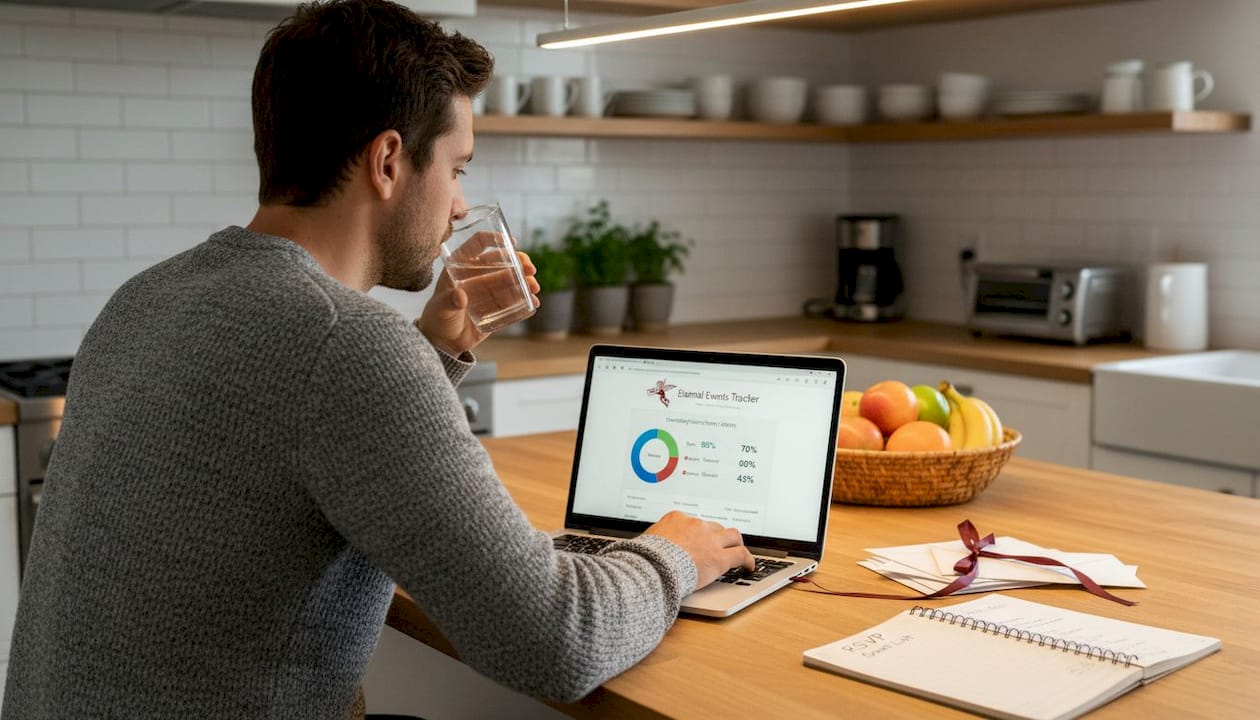
Step 5: Send and monitor. Once your invitations go out, watch your delivery dashboard closely for the first 48 hours. Flag any bounced addresses immediately and follow up by phone or text.
For couples managing multi-language invitations, make sure each language version is tested separately before sending. A translation error in your RSVP instructions can create real confusion.
| Distribution approach | Effort level | Best for |
|---|---|---|
| Manual sending | High | Very small guest lists |
| Semi-automated | Medium | Mixed digital/print lists |
| Fully automated | Low | Large, digital-ready lists |
Using automated invitation tools for your digital-ready segment frees up significant time and reduces human error across large guest lists.
Pro Tip: Schedule international sends first, then domestic. This gives you time to resolve any delivery issues before the bulk of your list goes out.
Ensuring delivery: Overcoming common technical issues
Once invitations are sent, the next hurdle is ensuring they reach every guest reliably.
Delivery failure is the silent killer of digital invitation campaigns. You think everyone got it. Half of them didn't.
The biggest culprit is spam filters. Email providers are aggressive, and wedding invitations often trigger them because they contain links, images, and unusual sender names. To reduce this risk, avoid using all-caps in your subject line, limit the number of links in the email body, and make sure your sender name is recognizable (your actual names, not a generic platform address).
"Check spam and promotions folders to ensure guests receive invitations." This one step, flagged by experts, prevents the most common complaint couples hear after sending.
Beyond spam, Gmail's Promotions tab catches a surprising number of legitimate invitations. Include a short note in your invitation asking guests to move it to their Primary inbox and add your email address to their contacts. It sounds small, but it works.
For non-tech guests who received a print invite with a digital RSVP link, follow up with a phone call. Don't assume they'll figure it out. A two-minute call saves you a week of wondering.
Delivery best practices:
- Use a recognizable sender name (your real names)
- Avoid excessive links or images in the email body
- Ask guests to check spam and promotions folders
- Follow up by phone for print recipients with digital RSVP links
- Stagger sends across time zones to hit inboxes during waking hours
- Resend to bounced addresses within 48 hours
Paying attention to design for deliverability is just as important as the content itself. Heavy image files and complex HTML can trigger spam filters even when your content is perfectly clean. Review digital invitation best practices before finalizing your design to avoid these traps.
Managing RSVPs and reminders: Maximizing guest responses
Once invitations land safely, focus shifts to making sure guests respond on time.
The average couple chases at least 30% of their guest list for RSVPs. With the right tools and a clear process, you can cut that number significantly.
Start by setting a firm RSVP deadline and displaying it prominently in your invitation. Vague deadlines produce vague responses. Give guests a specific date, ideally four to six weeks before the wedding, to give you time to finalize catering and seating.
Step 1: Enable your real-time RSVP dashboard. Most good platforms show you exactly who has responded, who hasn't, and what their meal or attendance preferences are. Check it every few days, not every hour.
Step 2: Set automated reminders. Automated reminders boost responses when sent one to two weeks after the initial deadline. This single feature alone recovers a large portion of non-responses without any manual effort from you.
Step 3: Consolidate your response channel. Don't offer email, text, and phone as RSVP options simultaneously. Pick one primary channel (your digital RSVP link) and direct everyone there. Multiple channels create confusion and make tracking a nightmare.
Step 4: Assign a point person. Delegate RSVP follow-up to a trusted family member or your wedding planner. You shouldn't be the one making awkward calls to distant relatives. Using RSVP automation for weddings handles most follow-ups automatically, but human outreach is still needed for outliers.
Step 5: Export and organize your final list. Once the deadline passes, export your guest response data and share it with your caterer, venue coordinator, and seating planner. Platforms that support guest response organization make this export seamless.
For a deeper look at tracking tools, the RSVP tracking guide covers every feature worth using.
Pro Tip: Add a personal note to your automated reminder. Something like "We can't wait to celebrate with you" makes the follow-up feel warm rather than robotic.
Our approach: The hidden value in simplifying your invitation workflow
After seeing the main steps, here's why a simplified approach pays off.
Most couples don't struggle with technology. They struggle with over-engineering their own process. We've seen couples build elaborate spreadsheets, manage five communication channels at once, and manually track every response. The result isn't control. It's exhaustion.
The couples who have the best experience are the ones who pick one good platform, trust it, and resist the urge to add complexity. Automation isn't a shortcut. It's what gives you back the mental space to actually enjoy planning your wedding.
The real payoff isn't just efficiency. It's guest experience. When your invitation arrives cleanly, loads beautifully on a phone, and makes RSVPing take 10 seconds, guests feel cared for. That feeling sets the tone for your entire event.
A well-designed guest communication workflow isn't about doing more. It's about doing less, better. Simplify the process, trust your tools, and focus your energy on the parts of wedding planning that actually need your personal touch.
Make your wedding invitation process seamless with The Digital Yes
Ready to put this guide into practice? Here's an all-in-one solution.
The Digital Yes brings every element of this guide into one platform. Design a stunning invitation, track delivery in real time, automate your RSVP reminders, and manage every guest type from digital to hybrid, all without a subscription fee.
Whether you're sending to 50 guests or 500, the platform handles the logistics so you can focus on the celebration. Multi-language support, accessibility features, and eco-friendly delivery are all built in. You get a private dashboard, exportable guest lists, and a process that actually works from the first send to the final headcount. Start your invitation journey at The Digital Yes today.
Frequently asked questions
What's the best way to accommodate guests who don't use email?
Send a printed invitation to those guests and include a phone number or simple URL they can use to RSVP. Hybrid print methods work well for guests who aren't comfortable with technology.
How do I increase RSVP responses to my digital invitations?
Set a clear deadline and use automated follow-ups timed strategically. Automated reminders sent one to two weeks after the RSVP deadline consistently recover non-responses from guests who simply forgot.
How can I ensure international guests receive my wedding invitation on time?
Send their invitations 10 to 12 weeks in advance and clearly state the event time with the relevant time zone. Sending invitations earlier for international guests prevents last-minute confusion and gives them time to arrange travel.
My digital invitations aren't showing up in guest inboxes. What should I do?
Ask guests to check their spam and promotions folders immediately, then resend with a note to add your email to their contacts. Checking spam folders is the fastest fix for the most common delivery issue couples face.