
TL;DR:
- Building a clear, centralized workflow is essential for effective wedding guest communication.
- Using integrated platforms with automation reduces errors and streamlines RSVP and policy management.
- Early planning and consistent updates prevent chaos and ensure accurate headcounts for the big day.
Managing wedding guest communication sounds simple until you're staring at three spreadsheets, a stack of unanswered RSVPs, and a florist asking for a final headcount by tomorrow morning. The reality is that most communication breakdowns happen not from lack of effort but from lack of structure. Couples and planners who nail this process share one thing in common: they build a clear, repeatable workflow before the first invitation goes out. This guide walks you through every stage, from building your guest list to sending post-wedding thank-yous, with practical tools and strategies that cut the chaos and keep everyone on the same page.
Table of Contents
- What you need before starting: Tools and prep
- Step-by-step: The wedding guest communication workflow
- Managing policies: Plus-ones, kids, and edge cases
- Tracking, automation, and staying organized until your big day
- The expert take: Ditching chaos for clarity
- Ready to perfect your wedding guest workflow?
- Frequently asked questions
Key Takeaways
| Point | Details |
|---|---|
| Centralize guest data | Using a single platform for guest list and communication eliminates confusion and saves time. |
| Automate reminders | Automated digital reminders improve RSVP rates and reduce the stress of chasing responses. |
| Clarify policies up front | Handling plus-ones, children, and edge cases with clear wording in invites and FAQs avoids awkward surprises. |
| Track and adapt in real time | Real-time RSVP tracking and flexible tools help manage vendor headcounts and last-minute changes effortlessly. |
What you need before starting: Tools and prep
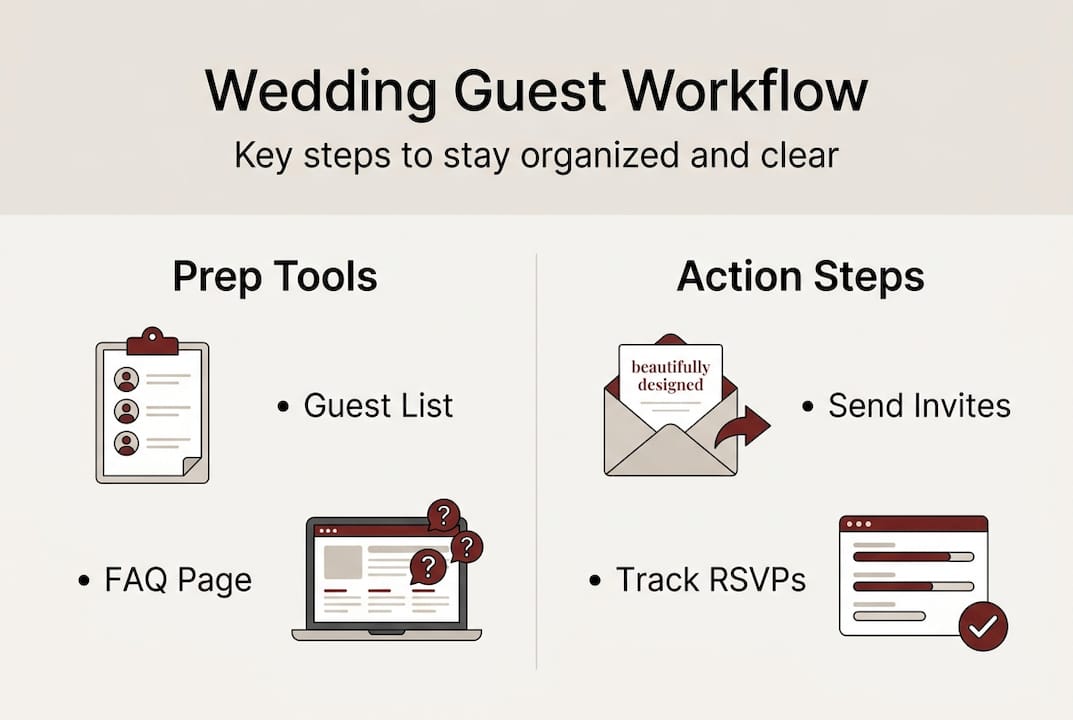
Before you send a single save-the-date, you need the right foundation. Jumping straight into invitations without organizing your data first is one of the most common mistakes couples make, and it costs hours of backtracking later. Think of this stage as setting up your command center.
The first decision is choosing your platform. Basic spreadsheets work for very small weddings, but they require manual updates and offer no automation. Integrated platforms handle invitations, RSVPs, reminders, and seating in one place. All-in-one ecosystems like Joy and Zola excel in automation versus basic spreadsheet setups, and platforms like The Digital Yes go further by offering bespoke digital invitations with built-in RSVP tracking workflow tools.
| Feature | Basic spreadsheet | Integrated platform |
|---|---|---|
| RSVP tracking | Manual | Automated |
| Reminder sending | Manual | Scheduled |
| Meal preference collection | Manual | Built-in |
| Seating chart sync | No | Yes |
| Guest list export | Basic | Formatted |
| Cost | Free | Varies |
Once you've chosen your tool, gather the following before you do anything else:
- Full legal names for every guest (important for formal invitations)
- Email addresses and mailing addresses per household
- Household groupings so you don't send duplicate invitations
- Plus-one policy decisions made in advance, not on the fly
- Child attendance policy clearly defined
- Dietary restriction fields ready to collect at RSVP stage
This is also the moment to set up your wedding FAQ page. Guests will have questions about parking, dress code, and accommodations. Answering them upfront reduces the flood of individual messages you'll otherwise receive. Wedding invitation automation tools can embed this FAQ directly into your invitation experience, so guests get answers without needing to contact you.
Pro Tip: Treat your guest list platform as your single source of truth. Every update, every RSVP, every dietary note should live in one place. The moment you start maintaining parallel lists in your phone, email, and a spreadsheet, errors multiply fast.
Gather this data at least three months before your invitation send date. The earlier you lock in your list, the smoother every step that follows will be.
Step-by-step: The wedding guest communication workflow
Now that you have what you need, let's walk through the workflow itself step by step. A clear sequence prevents things from slipping through the cracks and gives you a timeline you can actually follow.
The complete workflow builds from guest list through post-event thank-yous, and each stage feeds into the next. Here's how it breaks down:
- Build your guest list by household. Group guests so couples and families receive one invitation, not separate ones.
- Send save-the-dates. Aim for 6 to 12 months out for local weddings, earlier for destination events.
- Send formal invitations. Dispatch these 8 to 12 weeks before the wedding date.
- Set your RSVP deadline. Lock this 3 to 4 weeks before the wedding to give vendors time to prepare.
- Collect meal and dietary preferences. Include this in the RSVP form, not as a separate step.
- Send automated reminders. Target non-responders one to two weeks before the RSVP deadline.
- Sync confirmed RSVPs with seating. Use your platform's export or integration to update your seating chart.
- Send day-of logistics. Share final venue details, parking info, and schedule a few days before.
- Send thank-you messages. Follow up within two weeks of the wedding.
| Stage | Timing | Key action |
|---|---|---|
| Save-the-dates | 6 to 12 months out | Lock date, announce venue city |
| Invitations | 8 to 12 weeks out | Full details, RSVP link |
| RSVP deadline | 3 to 4 weeks before | Collect all responses |
| Reminders | 1 to 2 weeks before deadline | Automated follow-up |
| Day-of details | 2 to 3 days before | Final logistics |
| Thank-yous | Within 2 weeks after | Personalized notes |
Using invitation RSVP automation tools means you schedule these touchpoints once and let the system handle delivery. You focus on personalization, not logistics.
Pro Tip: Send all communications from one platform and personalize reminders by channel. A guest who opened your email invitation but didn't respond might respond faster to a text nudge. Platforms that support multi-channel delivery give you that flexibility without extra effort.
For a deeper look at digital invitation design best practices, including layout and content tips, that's worth exploring before you finalize your templates.
Managing policies: Plus-ones, kids, and edge cases
A workflow isn't complete without tackling the most sensitive guest inclusion scenarios. Vague policies create awkward situations. Clear policies, communicated early, prevent them.
Start with plus-ones. Traditional etiquette and modern digital trends both agree on one baseline rule: married and engaged guests always receive a plus-one. Beyond that, your decisions depend on budget, venue capacity, and relationship closeness. Whatever you decide, the policy must be stated clearly, not implied.
Here are the key best practices for communicating guest inclusion rules:
- Address invitations precisely. "John Smith and Guest" signals a plus-one is welcome. "John Smith" alone signals it is not.
- State adults-only policies directly. Use plain language in the invitation and on your wedding website FAQ. "Our ceremony and reception are adults-only" is clearer than hoping guests infer it.
- Handle B-list guests with care. If you're inviting a second wave of guests after initial declines, send their invitations early enough that they don't feel like an afterthought. Timing matters here.
- Prepare for last-minute changes. Guests add or drop plus-ones, babies arrive, circumstances shift. Your digital platform should allow real-time updates without reprinting anything.
The most common mistake couples make is assuming guests will figure out the policy from context. They won't. Ambiguity leads to awkward phone calls, hurt feelings, and headcount surprises the week before the wedding.
For organizing guest responses and managing these edge cases in one place, a centralized digital platform is far more reliable than email threads. Edge cases like A/B-list management and adults-only language are much easier to handle when your guest data is structured and searchable.
Pro Tip: Use your digital FAQ and website messaging for real-time policy updates. If something changes, update the FAQ once and every guest who visits the site sees the current information. No need to send a mass correction email.
Tracking, automation, and staying organized until your big day
Once policies are clear and communications sent, here's how you keep everything on track through automation and real-time tools.

The biggest risk at this stage is losing visibility. RSVPs trickle in over weeks, dietary notes get buried in email threads, and someone always changes their mind two days before the deadline. Automation solves this by centralizing every response and flagging what needs attention.
Real-time tracking and automated reminders are the backbone of a well-run guest communication system. Here's what to look for in your platform:
- Live RSVP dashboard showing confirmed, declined, and pending responses at a glance
- Automated reminder scheduling for guests who haven't responded by a set date
- Meal selection tracking linked directly to each guest record
- Plus-one and special request fields that update in real time
- Seating chart integration or export-ready guest lists for your venue coordinator
- Vendor headcount reports you can pull at any time
One stat worth keeping in mind: destination weddings see 31% higher declines than local events. If you're planning a destination wedding, build that into your initial guest count and use your platform's analytics to monitor trends early. Adjust your catering and seating estimates accordingly.
A smart buffer strategy also helps. Plan for 3 to 5 percent of confirmed guests to not show up on the day. This is a normal variance and your vendors will expect it. Having your platform generate a final headcount report one week before the wedding gives you a clean number to share with your caterer, florist, and venue without scrambling.
Real-time RSVP confirmation tools also reduce the anxiety of not knowing where you stand. When you can log in and see exactly who has responded, you spend less time chasing and more time planning the details that actually matter.
The expert take: Ditching chaos for clarity
Here's what most wedding planning guides won't tell you: the workflow itself is rarely the problem. The breakdown almost always comes from too many channels running at the same time. One partner is texting guests, the other is emailing, a planner is updating a separate spreadsheet, and nobody has the same information. That's not a process failure. That's a centralization failure.
The couples and planners who run the smoothest guest communications aren't necessarily using the most sophisticated tools. They've committed to one platform and one source of truth. Every update happens there. Every response lives there. No exceptions.
The second thing worth saying out loud: not everything needs to be personalized. Automated reminders, logistics emails, and policy FAQs should be templated and sent at scale. Save your personal effort for the moments that actually land, like a handwritten note in a thank-you message or a custom detail in the invitation design. That's where seamless invitation design choices create a lasting impression.
Less effort in the right places, more clarity everywhere else. That's the real workflow upgrade.
Ready to perfect your wedding guest workflow?
If you've made it this far, you already know what a well-structured guest communication workflow looks like. The next step is putting it into practice with tools built specifically for this purpose.
Digital wedding invitations from The Digital Yes give you everything covered in this guide in one place: automated RSVP tracking, real-time confirmation updates, eco-friendly delivery, and beautifully designed invitations that reflect your style. No recurring subscriptions, no reprinting costs, and no communication chaos. Whether you're a couple planning your own day or a wedding professional managing multiple events, The Digital Yes makes it easy to run a guest workflow that actually works.
Frequently asked questions
What is the ideal timing for wedding save-the-dates and invitations?
Send save-the-dates 6 to 12 months before the wedding and formal invitations 8 to 12 weeks out, with your RSVP deadline set 3 to 4 weeks before the date.
How can I handle plus-ones and adults-only policies clearly?
State your plus-one and adults-only rules directly on the invitation and in your wedding website FAQ so guests have no room for misinterpretation.
What's the best way to get guests to RSVP on time?
Automated reminders for non-responders sent one to two weeks before the deadline, combined with personal follow-ups for close family, consistently improve response rates.
How do I keep track of guest preferences and last-minute changes?
A single digital platform with real-time tracking lets you update guest records instantly and pull accurate headcounts whenever vendors need them.