

TL;DR:
- Digital RSVP systems provide instant updates and automated confirmations, simplifying guest management.
- A hybrid approach balances formality and accessibility, catering to all guest preferences.
- Preparing with mobile-friendly forms and backup options ensures smooth RSVP collection and reduces stress.
Tracking wedding RSVPs used to mean a shoebox full of paper cards, a spreadsheet that never quite matched reality, and at least one panicked phone call to a great-aunt who forgot to mail hers back. Most couples don't realize how much mental energy this drains until they're three weeks from the wedding and still guessing how many people are actually coming. Real-time RSVP confirmation in digital invitations changes all of that. Guests click a link or scan a QR code, submit their response, and your guest list updates instantly. This guide walks you through exactly how it works, how it compares to traditional methods, and how to avoid the few pitfalls that can trip couples up.
Table of Contents
- How real-time RSVP confirmation works
- Comparing real-time, traditional, and hybrid RSVP methods
- Overcoming common real-time RSVP challenges
- Expert tips for seamless real-time RSVP success
- Why most couples underestimate real-time digital RSVP benefits
- Streamline your wedding with real-time RSVP at The Digital Yes
- Frequently asked questions
Key Takeaways
| Point | Details |
|---|---|
| Instant guest tracking | Real-time RSVP confirmation saves time and keeps your wedding guest list up to date automatically. |
| Reduce stress and errors | Automated confirmations cut down on missed responses, double entries, and last-minute emergencies. |
| Hybrid options for everyone | Combining paper invites with digital tools helps all guests, including the less tech-savvy, respond with ease. |
| Expert setup boosts success | Simple forms and timely reminders greatly increase your RSVP response rates. |
How real-time RSVP confirmation works
The process is simpler than most couples expect. When you send a digital invitation, each guest receives a personalized link or a QR code they can scan with their phone. That link opens a clean, mobile-friendly RSVP form where they confirm attendance, select a meal preference, and note any plus-ones. The whole thing takes under two minutes.
Here's what happens behind the scenes the moment they hit submit. The RSVP automation system syncs the response directly to your guest management dashboard. There's no manual data entry, no copying from email to spreadsheet. The response appears in real time, and both you and your guest receive an instant confirmation. According to vowvirtue.com, mechanics involve guests accessing an RSVP form via link or QR code on digital or hybrid invitations, and upon submission, responses sync automatically to the couple's guest list with instant notifications and confirmations sent to guests.
Platforms like Joy and Zola popularized this approach, and the core features are now widely available. Most offer:
- Instant dashboard updates when a guest responds
- Automated confirmation emails or texts sent to guests
- Guest count summaries broken down by attendance, meal, and dietary needs
- Exportable guest lists for your caterer or venue coordinator
- Notification alerts sent directly to your phone
Here's a quick look at what the real-time flow looks like compared to the old way:
| Step | Traditional paper RSVP | Real-time digital RSVP |
|---|---|---|
| Guest receives invite | Physical mail, 3-7 days | Instant via email, text, or link |
| Guest responds | Mails card back, 3-10 days | Submits form in under 2 minutes |
| Couple receives response | Days to weeks later | Within seconds |
| Guest list updated | Manually, by couple | Automatically, in real time |
| Confirmation to guest | None or manual | Automated immediately |
The speed difference alone is significant. But what couples consistently say surprises them most is the peace of mind. You're not wondering whether a card got lost in the mail. You know exactly where you stand, every single day leading up to your wedding.
Comparing real-time, traditional, and hybrid RSVP methods
Understanding the mechanics is key, but how does real-time RSVP confirmation stack up against more familiar methods? The honest answer is that each approach has a real place depending on your guest list and priorities.
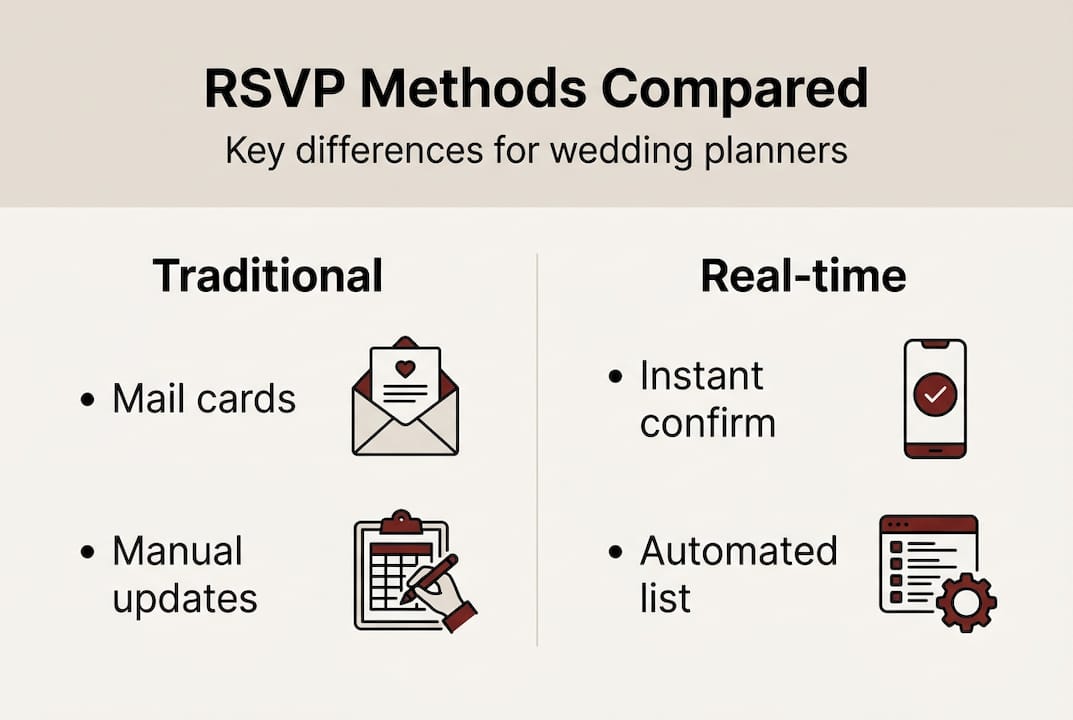
Traditional paper RSVPs carry a sense of ceremony. A beautifully printed card feels intentional and formal, and many older guests genuinely appreciate the tangible experience. The downside is friction. Cards get lost, stamps get forgotten, and handwriting isn't always legible. You're also waiting days or weeks for responses to trickle in, then manually entering each one.
Digital RSVPs solve most of those problems. They're fast, cost nothing to send, and give you digital RSVP benefits like real-time tracking and automated follow-ups. The one genuine concern is accessibility. Not every guest is comfortable navigating a form on their phone, and that matters when your guest list includes elderly relatives.
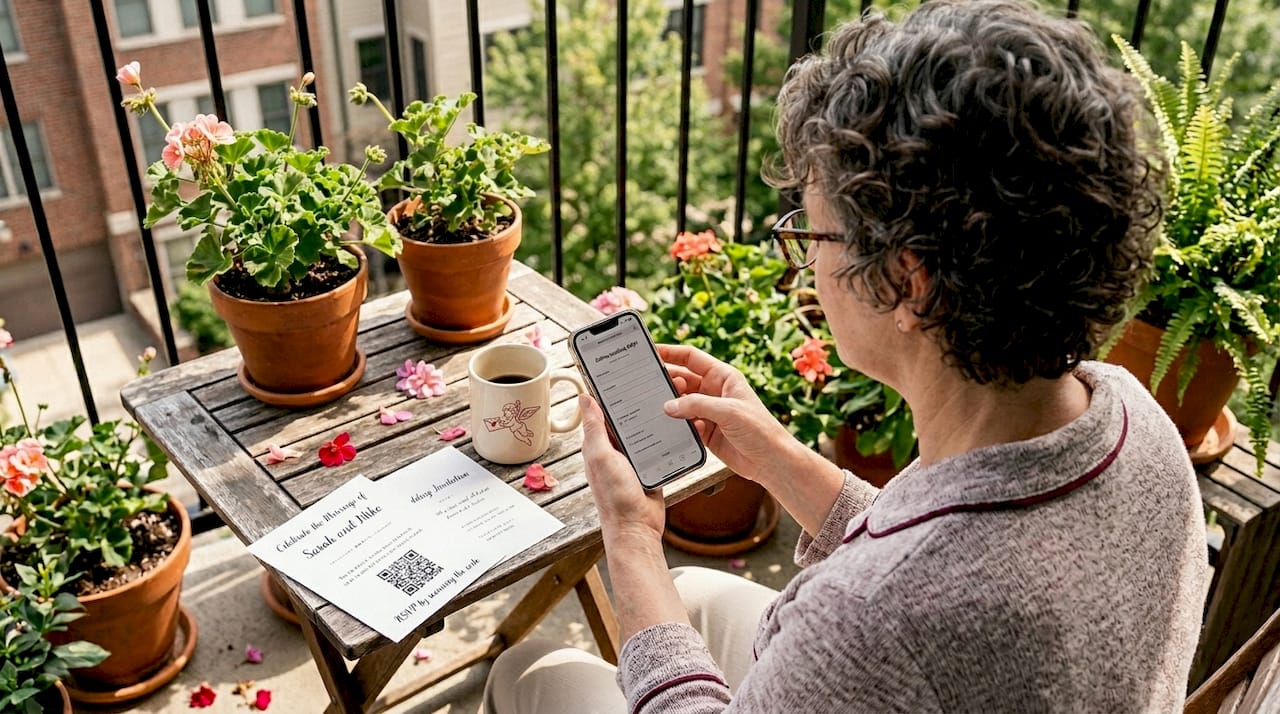
Hybrid approaches combine both. You send eco-friendly digital invites to most guests and include a QR code on a small printed card for those who prefer paper. The QR code still routes to the digital form, so your data stays centralized. As annahowedesign.com notes, digital is praised for speed, cost savings, and real-time tracking, while traditional is favored for formality and elderly accessibility, and hybrid offers the best of both.
| Method | Speed | Cost | Formality | Accessibility | Tracking |
|---|---|---|---|---|---|
| Traditional paper | Slow | Higher | High | High | Manual |
| Digital only | Instant | Low | Moderate | Moderate | Automatic |
| Hybrid | Fast | Low to moderate | High | High | Automatic |
For most couples today, the hybrid model wins on nearly every dimension. You preserve the elegance of a physical invitation for guests who value it, while keeping your data clean and centralized.
"The best RSVP system is the one your guests will actually use. Giving people a choice removes the friction that causes non-responses."
Overcoming common real-time RSVP challenges
While the benefits are clear, some couples worry about digital headaches. Here's how to prevent the most common issues before they become problems.
The most frequently cited concern is tech literacy. Elderly guests or relatives who aren't comfortable with smartphones may struggle with a digital form. The solution isn't to abandon digital, it's to build in an alternative. A phone number or a designated family member who can assist goes a long way. As annahowedesign.com notes, edge cases include tech-challenged guests, name mismatches in lookup systems, uninvited submissions on open links, and changes post-RSVP requiring manual updates.
Here are the four most common challenges and how to handle each one:
- Tech-challenged guests. Include a phone number or email address on the invitation as a backup RSVP option. Assign a family member to help.
- Name mismatches. If your platform uses a guest lookup system, double-check that every name is spelled exactly as guests know themselves. Nicknames cause confusion.
- Uninvited submissions. Open RSVP links can be forwarded. Use individualized guest codes or password protection to limit access to your actual guest list.
- Post-RSVP changes. Guests change their minds. Most platforms let guests resubmit, but you may need to organize guest responses manually when someone contacts you directly after the deadline.
Pro Tip: Before you send your invitations, ask a friend or family member to test the RSVP form from their phone without any guidance from you. If they can complete it in under two minutes without questions, you're in good shape. If they get confused, simplify the form before launch.
Password protection and unique guest links are the two most effective tools for keeping your RSVP data clean. When you design digital RSVP invites with individualized codes, each guest has their own access point, which also makes it easier to track exactly who has and hasn't responded.
Expert tips for seamless real-time RSVP success
Having addressed the pitfalls, here's how to set yourself up for RSVP success from the start.
The single biggest factor in RSVP completion rates is mobile design. Most guests will open your invitation on their phone, not a desktop. A form that's clunky on mobile will cause drop-offs. According to vowvirtue.com, expert guidance recommends hybrid approaches with QR codes, keeping forms simple with only attendance, meals, and plus-ones, mobile-first design, and automated reminders one to two weeks before the deadline.
Here's what a high-performing RSVP setup looks like in practice:
- Keep the form short. Ask only what you need: attending yes or no, meal choice, and plus-one details. Every extra field reduces completion rates.
- Use automated reminders. Schedule a reminder message one to two weeks before your RSVP deadline. Non-responders are often just busy, not unwilling.
- Mobile-first layout. Test your form on at least two different phone models before sending.
- QR codes on physical elements. If you're sending any printed materials, include a QR code that goes directly to the RSVP form.
- Clear deadline communication. State the RSVP deadline prominently on the invitation itself, not just in a follow-up message.
Pro Tip: Set your RSVP deadline at least three weeks before your wedding, not one. This gives you time to chase non-responders, make final headcount adjustments with your venue, and actually enjoy the final weeks of engagement without a to-do list hanging over you.
For more on pulling all of this together visually, seamless invite design tips can help you create a form guests actually want to fill out. And once responses start coming in, a solid RSVP tracking guide keeps your guest management organized all the way to the big day.
Why most couples underestimate real-time digital RSVP benefits
Here's something we've noticed: couples who are hesitant about digital RSVPs almost always come around after they try them, and they almost always wish they'd started sooner. The hesitation usually comes from one of two places. Either they're worried about offending traditional guests, or they assume digital means impersonal.
Both concerns are understandable, and both tend to dissolve quickly. A well-designed digital invitation can feel just as elegant and intentional as a printed one. And the hybrid approach means no guest is left behind. What couples rarely anticipate is how much calmer the weeks before the wedding feel when they have a live, accurate headcount at all times. No chasing, no guessing, no last-minute panic.
The couples who rely only on tradition often don't realize what they're missing until they're manually updating a spreadsheet at 11pm two weeks before the wedding. Digital invites transformation isn't just about convenience. It's about reclaiming your attention for the parts of wedding planning that actually deserve it.
Streamline your wedding with real-time RSVP at The Digital Yes
Ready to make RSVP stress a thing of the past? Here's where to get started.
At The Digital Yes, we build digital wedding invitations that include real-time RSVP confirmation, automated guest notifications, and a private dashboard where you can track every response as it comes in. No subscriptions, no recurring fees, just a beautifully designed invitation that works as hard as you do.
Whether you want a template-based design or something fully custom, our platform gives you the guest management tools that make the weeks before your wedding feel manageable instead of overwhelming. Couples who use real-time RSVP tracking consistently tell us it's one of the best decisions they made in the planning process. We'd love to help you experience that same peace of mind.
Frequently asked questions
What is real-time RSVP confirmation?
Real-time RSVP confirmation means guests' responses are instantly synced to your guest list the moment they submit, and an automatic confirmation is sent to them within seconds.
Are real-time digital RSVPs reliable for large weddings?
Yes, platforms with automated syncing handle hundreds of guests efficiently, but you should test your form before launch and use clear guest labels to keep data accurate.
What if some guests can't use digital RSVPs?
Offer a hybrid option like a printed card with a QR code or a phone number for call-in responses, so every guest can respond in the way that's easiest for them.
Can guests change their RSVP after submitting?
Most platforms allow resubmission, but if a guest contacts you after the deadline, post-RSVP changes may require a manual update on your end.
How secure are real-time RSVP forms against uninvited submissions?
Using unique guest codes or password-protected links significantly reduces the risk of uninvited guests accessing and submitting your RSVP form.