

Tracking wedding RSVPs manually creates unnecessary stress for couples already juggling countless planning tasks. Paper cards get lost, responses arrive incomplete, and chasing down non-responders eats precious time. This guide shows you how digital wedding invitations with RSVP tracking transform chaotic guest management into a streamlined, error-free process that saves time and reduces wedding planning anxiety.
Table of Contents
- Understanding The Challenges Of Traditional Rsvp Tracking
- Preparing Your Online Rsvp Tracking Setup: Tools And Essentials
- Executing Efficient Rsvp Tracking And Guest Communication
- Verifying Responses And Troubleshooting Common Rsvp Issues
- Explore Customizable Digital Wedding Invitations With Rsvp Tracking
- What Is The Best Way To Track Wedding Rsvps Online?
Key takeaways
| Point | Details |
|---|---|
| Online RSVP systems save time and reduce errors | Digital tracking eliminates manual data entry and lost paper responses. |
| Customizable digital invitations increase engagement | Personalized designs and interactive elements improve guest response rates. |
| Clear RSVP forms improve completion rates | Concise questions and limited required fields prevent abandoned submissions. |
| Integrated tracking enhances guest experience | Seamless wedding website integration simplifies the RSVP process for guests. |
Understanding the challenges of traditional RSVP tracking
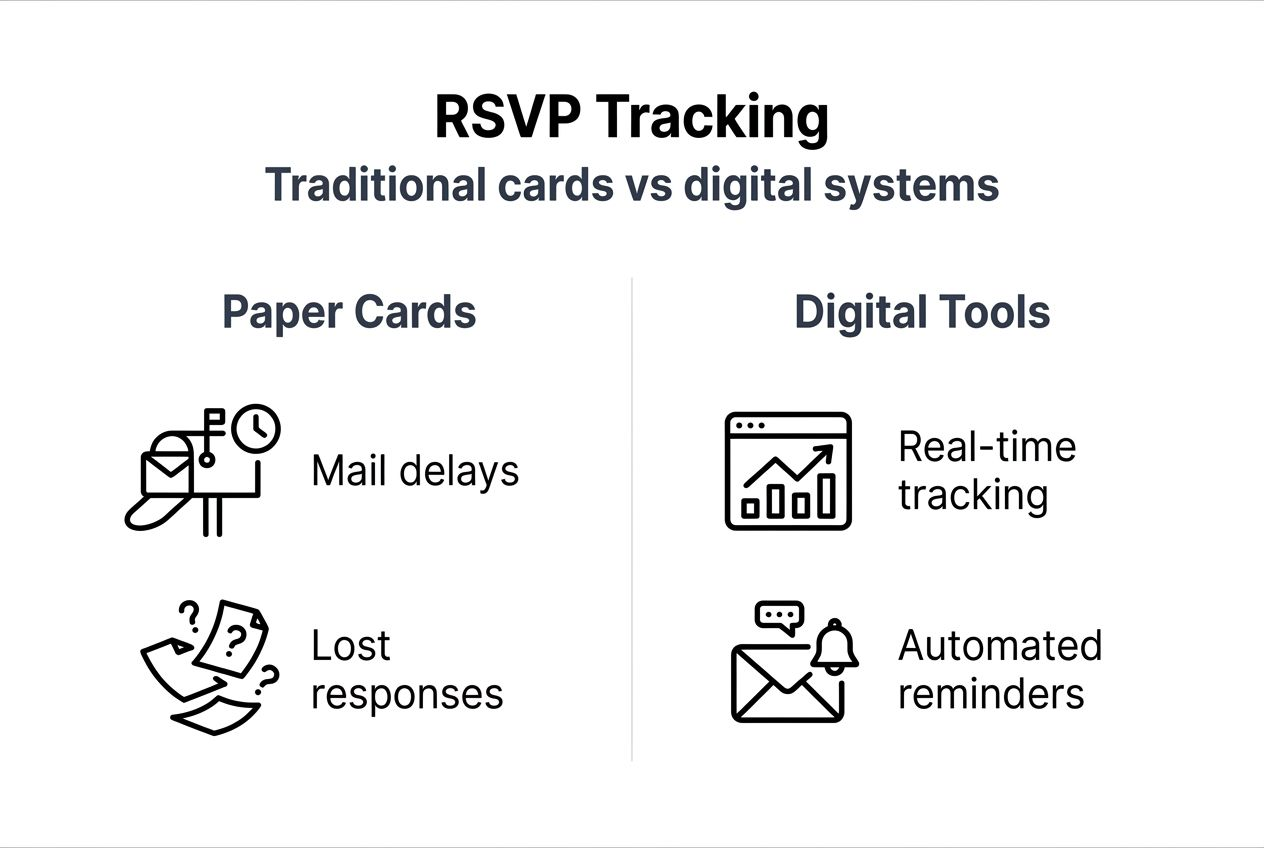
Traditional RSVP tracking relies on paper response cards mailed back to couples, creating multiple failure points. Cards arrive damaged, get misplaced in the mail, or never reach you at all. Manual data entry from these cards introduces spelling errors, incorrect headcounts, and duplicated guest entries that complicate final planning.
Time-consuming follow-up becomes inevitable when responses trickle in sporadically. You spend hours calling or texting guests who forgot to respond, lost their cards, or misunderstood the deadline. This administrative burden grows exponentially for larger weddings or destination celebrations where timely responses matter most.
Common problems with manual RSVP tracking include:
- Lost or damaged response cards requiring duplicate requests
- Illegible handwriting causing guest name and meal choice confusion
- No centralized system to track who responded versus who needs follow-up
- Difficulty managing plus-one policies and dietary restrictions accurately
- Time-intensive manual compilation of final headcounts for vendors
Destination weddings especially benefit from online RSVP systems that reduce administrative overhead compared to coordinating international mail. Digital solutions eliminate postal delays and provide instant confirmation when guests submit responses. Switching to digital wedding invitations with RSVP tracking addresses these pain points while creating a modern, professional guest experience.
Preparing your online RSVP tracking setup: tools and essentials
Selecting the right platform sets the foundation for smooth RSVP management. Prioritize systems offering private, simple guest response collection without requiring guests to create accounts or share data with third parties. Privacy-focused platforms protect your guest list while maintaining professional functionality.
Your RSVP form design directly impacts response rates and data quality. Create concise questions using simple language that leaves no room for confusion. Ask only essential information: attendance confirmation, guest names, meal preferences if needed, and any critical logistics like shuttle preferences.
Essential preparation steps include:
- Evaluate platforms based on privacy policies, ease of use, and mobile responsiveness
- Design RSVP forms with 3-5 core questions maximum to prevent drop-off
- Test your RSVP system thoroughly on multiple devices before launch
- Create clear instructions about plus-one policies to avoid unauthorized additions
- Set up automated confirmation emails so guests receive immediate response acknowledgment
Integrating your RSVP system with personalized wedding websites creates seamless experiences that keep all wedding information centralized. Guests appreciate accessing invitations, RSVP forms, travel details, and registry links from one convenient location.
Provide alternative response methods for older relatives or guests without reliable internet access. Include a phone number or email address they can use to confirm attendance, ensuring no one feels excluded from your celebration.
Pro Tip: Test your RSVP form by having friends submit practice responses, then review the data you receive to identify any confusing fields or technical issues before sending to your full guest list.
Executing efficient RSVP tracking and guest communication
Timing your digital invitation distribution properly ensures maximum response rates. Send digital wedding invitations with RSVP links 8-12 weeks before your wedding date for local celebrations, or 12-16 weeks for destination events requiring travel arrangements. This window gives guests adequate planning time while keeping your event top of mind.

Your RSVP form structure determines data quality and completion rates. Clearly specify plus-one policies by asking "Will you be bringing a guest?" only for invitations that include this option. Request dietary restrictions with a simple text field rather than overwhelming checkbox lists. Keep required fields minimal to reduce abandonment.
Follow this execution timeline:
- Send initial digital invitations with embedded RSVP links 8-12 weeks out
- Monitor response rates daily during the first week after sending
- Send automated reminder emails to non-responders at the 4-week mark
- Follow up personally via text or call with remaining non-responders 2 weeks before your deadline
- Close RSVP collection 2-3 weeks before the wedding to finalize vendor counts
Real-time tracking capabilities let you monitor responses as they arrive. Digital invitations provide immediate RSVP confirmation and show exactly who opened your invitation, eliminating guesswork about whether guests received your communication.
Managing guest communication effectively requires centralization. Use your RSVP platform's messaging features to send updates about venue changes, weather alerts, or last-minute details to specific guest groups. Maintain response history so you remember who requested vegetarian meals or shuttle services.
Limit guest entries per invitation to match your intended headcount. If you invite a couple, configure the system to accept exactly two responses, preventing unauthorized plus-ones. This boundary setting eliminates awkward conversations later.
| Step | Timeline | Tools Needed |
|---|---|---|
| Send digital invitations | 8-12 weeks before wedding | Digital invitation platform with RSVP integration |
| Monitor initial responses | Days 1-7 after sending | Real-time dashboard tracking |
| Automated reminder emails | 4 weeks before deadline | Email automation features |
| Personal follow-up | 2 weeks before deadline | Phone, text messaging |
| Close RSVP collection | 2-3 weeks before wedding | Platform deadline settings |
| Finalize vendor headcounts | 1-2 weeks before wedding | Exported guest list data |
Pro Tip: Enable read receipts in your digital invitation system to identify guests who opened invitations but haven't responded yet, focusing your follow-up efforts where they matter most.
Verifying responses and troubleshooting common RSVP issues
Regular response audits catch errors before they impact your final planning. Review RSVP submissions weekly to identify incomplete entries, suspicious duplicate responses, or guests who misunderstood your questions. Early detection lets you clarify confusion while there's still time to correct mistakes.
Identify patterns causing guest confusion by analyzing partial submissions. If multiple guests abandon the form at the same question, that field needs clearer wording or simpler options. Vague language creates the majority of RSVP problems, so confusion typically stems from unclear phrasing.
Common troubleshooting strategies include:
- Simplify multi-part questions into single, direct requests
- Replace dropdown menus with radio buttons for better mobile usability
- Remove optional fields that guests interpret as required
- Add example responses to clarify what information you need
- Shorten overall form length to reduce completion time
Excessive required fields drive up abandonment rates significantly. Research shows more required fields create more drop-off and partial submissions that require tedious follow-up. Limit mandatory questions to attendance confirmation and headcount only.
Follow up personally with guests submitting incomplete responses or no response at all. A quick text message asking "Hey, did you have any trouble with our RSVP form?" often reveals technical issues or confusion you can immediately address. This personal touch strengthens relationships while improving your data quality.
"Keep RSVP questions short and specific. Instead of asking 'Do you have any dietary restrictions or preferences we should know about?', simply ask 'Dietary restrictions?' with a text box. Guests understand what you need without overthinking their response."
Validate your final guest list against your original invitation count to catch discrepancies. If you invited 150 people but received 160 RSVPs, unauthorized plus-ones slipped through. Cross-reference names to identify and politely address these situations before confirming final vendor numbers.
Switching to digital wedding invitations with RSVP tracking gives you verification tools paper systems can't match, including duplicate detection, automatic headcount totals, and instant data exports for venue coordinators and caterers.
Explore customizable digital wedding invitations with RSVP tracking
Managing wedding RSVPs doesn't have to drain your time and energy. The Digital Yes transforms guest tracking with digital wedding invitations with RSVP integration that handles responses automatically while you focus on enjoying your engagement.

Choose from stunning digital invitation themes perfectly matched to your wedding aesthetic, from elegant minimalist designs to vibrant modern styles. Each invitation includes built-in RSVP tracking that updates instantly when guests respond, eliminating manual data entry completely.
Track responses in real time through your private dashboard, send automated reminders to non-responders, and export your finalized guest list with one click. Flexible pricing options make professional digital invitations accessible for every budget, with no hidden fees or recurring subscriptions.
What is the best way to track wedding RSVPs online?
What is the best way to track wedding RSVPs online?
Integrated digital invitation platforms with built-in RSVP tracking offer the most efficient solution for couples. These systems combine invitation delivery and response collection in one place, eliminating the need to manage multiple tools. Look for platforms emphasizing privacy, real-time updates, and mobile-friendly forms that guests can complete in under two minutes.
Best practices include creating clear, concise RSVP forms with minimal required fields and setting automated reminders for non-responders. Choose digital wedding invitations with RSVP features that let you specify plus-one policies clearly and track dietary preferences without overwhelming guests. Centralized dashboards showing response rates, pending guests, and final headcounts simplify coordination with caterers and venues.
How can I encourage guests to respond to RSVP requests?
Use concise, specific language in your RSVP forms and clearly communicate your response deadline. Specify plus-one policies directly in the invitation to avoid confusion about who's invited. Make the RSVP process simple by limiting required fields and ensuring mobile compatibility.
Send automated reminder emails 2-4 weeks before your deadline to non-responders, and follow up personally via text or phone call one week before closing responses. Most guests intend to respond but simply forget, so friendly reminders dramatically improve completion rates without creating awkwardness.
Are digital invitations more cost-effective than printed ones?
Digital invitations eliminate printing and postage expenses completely, creating significant savings for most couples. Traditional print invitations cost $3-8 per invite for decent quality materials, plus $0.70 or more per stamp for mailing. A 150-guest wedding spends $550-1,300 on printed invitations and postage alone.
Digital invitations are affordable or free, with premium customizable options typically costing $50-200 total regardless of guest count. This represents 80-95% cost savings compared to traditional printing. The choice depends on your budget priorities and whether you value the tactile quality of paper invitations over financial savings and environmental benefits.