

TL;DR:
- Wedding invitation suites include various components like main invites, RSVP, maps, and save-the-dates.
- Familiarity with terms like belly band, vellum, and GSM helps in designing and communicating effectively, both digitally and traditionally.
- Using precise language improves vendor collaborations, enhances digital invitation design, and ensures clear guest communication.
Wedding invitation terminology can stop even experienced planners mid-sentence. You're trying to communicate a vision, and suddenly words like "belly band," "backer card," or "GSM" are flying around. Digital invitations add another layer, introducing concepts like RSVP tracking, envelope liner animations, and interactive maps. Knowing what these terms actually mean, and how they apply in a digital context, changes everything. It helps you design smarter, communicate faster with vendors, and deliver a guest experience that feels polished and intentional. This guide breaks down the language of wedding invitations so you can use it with confidence.
Table of Contents
- What is a wedding invitation suite?
- Essential terms every couple and planner should know
- Digital invitation nuances: Etiquette, design, and RSVP essentials
- How to choose the right terminology when communicating with vendors
- Why invitation lingo matters more than ever in the digital era
- Ready to simplify your digital wedding invitation experience?
- Frequently asked questions
Key Takeaways
| Point | Details |
|---|---|
| Master the invitation suite | Knowing all suite components helps you plan a complete and impressive digital invite. |
| Jargon impacts your results | Understanding key terms makes communication with vendors and designers smoother and avoids costly errors. |
| Etiquette still applies digitally | Design, RSVP, and delivery details matter for guest experience and formality even with online invites. |
| Use the right terms, stress less | Applying industry lingo speeds up planning and ensures you get exactly what you want. |
What is a wedding invitation suite?
Before you can master individual terms, you need to understand the bigger picture. A wedding invitation suite is the full collection of stationery or digital pieces that together communicate everything guests need to know about your wedding.
A wedding stationery suite includes the main invitation, enclosures like RSVP cards, detail cards, and maps, and sometimes save-the-dates as a pre-invitation. Think of it as a package, not a single card. Every element has a job to do.
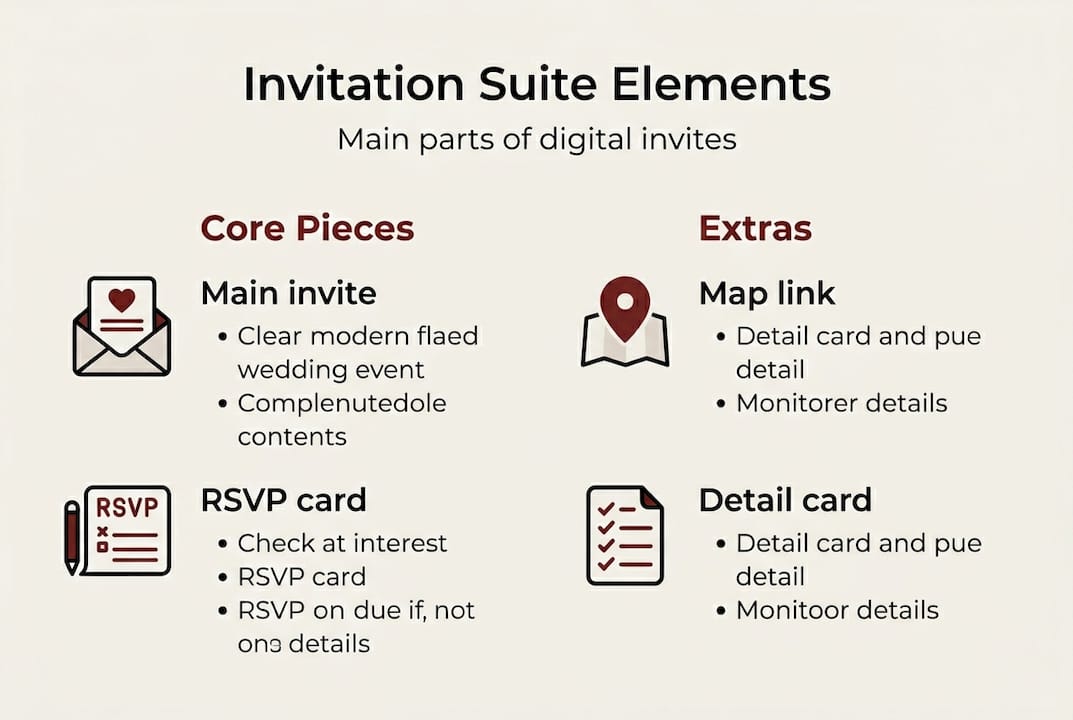
For paper suites, these pieces are physically separate. For digital suites, they are often integrated into a single interactive experience. A guest might open one link and find the main invitation, a clickable RSVP form, an embedded Google Map, and a photo gallery all in one place. The suite still exists, it just lives online.
Standard components of a wedding invitation suite:
- Main invitation: The primary card announcing the event, couple, date, and venue
- RSVP card: Allows guests to confirm attendance, with meal preferences or plus-one details
- Details card: Covers accommodations, dress code, parking, or schedule
- Map or directions card: Guides guests to the venue (embedded and interactive in digital formats)
- Enclosure cards: Any additional inserts, like wedding website cards or gift registry info
- Save-the-date: Sent weeks or months before the formal invitation as an early heads-up
In digital formats, you can follow a step-by-step design process that mirrors the paper suite structure while adding interactive features that paper simply cannot offer.
| Element | Paper suite | Digital suite |
|---|---|---|
| Main invitation | Printed card | Designed webpage or screen |
| RSVP card | Separate reply card | Embedded form or button |
| Map | Printed insert | Interactive embedded map |
| Details card | Separate printed card | Scrollable section or tab |
| Save-the-date | Mailed card | Email or social link |
| Envelope liner | Decorative paper insert | Animated or illustrated digital frame |
Understanding the suite as a whole helps you plan each piece intentionally, whether you are designing from scratch or briefing a vendor.
Essential terms every couple and planner should know
Now that you know the overall structure, let's clarify the terms you're likely to encounter. Some come from traditional print design, others are borrowed by digital designers to describe visual effects or layout choices.
Key stationery terms include the belly band (a decorative wrap), vellum (a translucent overlay), envelope liner, wax seal, calligraphy, backer card, negative space, and monogram. GSM indicates paper quality, with higher numbers meaning heavier stock. Here's how each one translates into the digital world:
- Belly band: In print, it's a paper strip that wraps around the suite. Digitally, it refers to a horizontal banner or header element that visually groups content.
- Vellum: A semi-transparent paper overlay used for elegance. In digital design, vellum is recreated using layered translucent graphics or frosted overlays on screen.
- Envelope liner: The decorative interior of a mailed envelope. In digital invitations, this becomes an animated intro screen or illustrated border that frames the invitation.
- Wax seal: A traditional embossed stamp for closing envelopes. Digitally, it's often used as a decorative badge or logo stamp in the design.
- Calligraphy: Handwritten-style lettering. In digital formats, calligraphy fonts or custom lettering are used to replicate this look.
- Backer card: A backing piece that adds dimension or color contrast. Digitally, this translates to layered background elements or color blocks behind the main text.
- Negative space: The intentional use of empty space in a design to create balance. This is just as important in digital design as in print.
- Monogram: Interlocking initials used as a decorative motif. Monograms are widely used in digital invitations as logos or watermarks.
- GSM (grams per square meter): Measures paper weight and quality in print. In digital design, the concept is used metaphorically to describe the visual "weight" or richness of a design.
| Term | Traditional meaning | Digital adaptation |
|---|---|---|
| Belly band | Paper wrap | Header or banner element |
| Vellum | Translucent overlay | Frosted graphic layer |
| Envelope liner | Decorative paper insert | Animated intro or border |
| Wax seal | Embossed stamp | Decorative badge or icon |
| Calligraphy | Handwritten lettering | Calligraphy-style font |
Exploring design tips for digital invites will show you how these terms come to life in real digital invitation projects.
Digital invitation nuances: Etiquette, design, and RSVP essentials
Understanding terminology is just the start. Applying it well in digital invite design is where things come to life. Digital invitations follow most of the same etiquette rules as paper ones, but there are specific nuances worth knowing.

Digital invitations should be mobile-optimized, include clear RSVP deadlines, and match the formality of the event. They are not legally binding but are widely accepted as a formal and sincere form of communication.
Here are the key etiquette and design principles to follow:
- Match formality to your event. A black-tie wedding deserves a refined, elegant digital design with formal language. A casual garden party can use lighter fonts and playful colors.
- Prioritize mobile readiness. Over 60% of guests will open your invitation on a smartphone. If your design breaks on mobile, the experience suffers regardless of how beautiful it looks on a desktop.
- Set a clear RSVP deadline. Vague deadlines lead to last-minute chaos. State the exact date and make the RSVP button impossible to miss.
- Send reminders. Unlike paper invitations that sit on a counter, digital invites can be forgotten in an inbox. A polite follow-up nudge two weeks before the RSVP deadline is both acceptable and practical.
- Include all necessary details. Don't assume guests will ask. Dress code, parking, dietary options, and accommodation info should all be accessible within the suite.
"A digital invitation is only as effective as its clarity. If guests have to search for the RSVP button or guess the dress code, the design has already failed them."
Pro Tip: Set your RSVP deadline at least three weeks before your final headcount is due to the caterer. This gives you buffer time to chase non-responders without stress.
For couples thinking about sustainability, eco-friendly invitation delivery is one of the strongest arguments for going digital. And if budget is a concern, saving money with digital invites breaks down exactly where the savings come from.
How to choose the right terminology when communicating with vendors
You're now equipped to design your invitation, but effective communication with professionals is just as important. Using the right words when briefing a designer or digital invitation service saves time, avoids misunderstandings, and gets you a result that actually matches your vision.
A wedding stationery suite is a collection of matching stationery elements, and vendors expect you to refer to it that way. When you walk into a briefing using the correct terms, you signal that you know what you want, and professionals respond to that.
Common points of confusion between couples and vendors:
- Saying "the card with all the info" instead of "details card" or "enclosure card"
- Asking for "a fancy font" instead of specifying "calligraphy-style lettering"
- Requesting "something behind the text" instead of asking for a "backer card" or "layered background"
- Saying "I want it to feel heavy" instead of referencing a "high-GSM aesthetic" or "rich visual weight"
- Confusing "save-the-date" with the main invitation, which affects timing and content expectations
When ordering bespoke digital invitations, being specific about features like RSVP tracking, envelope liner animations, or embedded maps will help your designer deliver exactly what you need without multiple revision rounds.
Pro Tip: Before your vendor call, write a one-page brief that lists every suite element you want, the tone (formal, rustic, modern), and any specific features like multi-language support or guest management tools. This single document can cut your revision cycle in half.
Sample language that works well in vendor briefings: "I'd like a full digital suite with a main invitation screen, an embedded RSVP form with meal preference options, a details section covering dress code and accommodations, and an animated envelope liner as an intro screen."
Why invitation lingo matters more than ever in the digital era
Here's something most planning guides won't tell you: the couples and planners who struggle most with digital invitations are rarely struggling with the technology. They're struggling with communication. They can't describe what they want because they don't have the words for it.
Digital invitations amplify the cost of that confusion. A misunderstood briefing in the paper world might mean a reprint. In the digital world, it can mean a broken guest experience, an RSVP form that nobody fills out, or a design that looks stunning on a laptop but falls apart on a phone.
There's also a deeper value here. Learning this language bridges tradition and technology. When you use terms like "monogram," "suite," or "vellum overlay" in a digital context, you're honoring the craft of invitation design while pushing it forward. That matters to vendors, and it matters to guests who feel the care behind a well-designed invitation.
Digital-forward couples who invest time in understanding this vocabulary don't just communicate better. They make better decisions. They know when a design is working and when it isn't, and they can articulate why. Exploring digital solutions for invitations shows just how far this craft has evolved, and why the vocabulary around it deserves the same respect.
Ready to simplify your digital wedding invitation experience?
Now that you have a solid grasp of wedding invitation terminology, from suite structure to digital-specific design terms, putting that knowledge into practice is the natural next step.
At The Digital Yes, every invitation is built with these terms in mind. Whether you want a full digital suite with RSVP tracking and guest management, or a bespoke design with animated envelope liners and embedded maps, the platform makes it easy to bring your vision to life without guesswork. No subscriptions, no reprints, no confusion. Just a beautiful, functional invitation that works for your guests and for you.
Frequently asked questions
What does 'RSVP card' mean in digital wedding invitations?
A digital RSVP card is a clickable or fillable section of your online invitation where guests confirm attendance instantly. As part of the full digital invitation suite, it replaces the traditional reply card that guests would mail back.
How is 'GSM' relevant to digital invitations?
GSM measures paper weight in physical printing, but in digital invitations, the concept is used to describe visual richness or a luxurious aesthetic that mimics heavy, premium paper stock.
Are digital wedding invitations considered formal?
Yes, digital invites match formality when the language, design, and etiquette align with the event's tone. A well-designed digital invitation is just as formal and sincere as a printed one.
What terms should I use when ordering custom digital invitations?
Use terms like "suite," "RSVP card," "monogram," and "envelope liner" to specify what you want. Traditional terms adapt well to digital formats, and using them clearly speeds up the design process.
Do I need to send a 'save-the-date' with digital invitations?
It's strongly recommended. Save-the-dates act as pre-invitations in both paper and digital suites, giving guests enough lead time to plan travel and accommodations before the formal invitation arrives.